ai
Jira-to-GitHub Issues Migration Using BMAD: Lessons from the Implementation

This project involved migrating approximately 1,200 Jira tickets to GitHub Issues — including comments, attachments, historical context, and customized fields. The experience provided practical lessons about planning, testing, data mapping, API behavior, and defining a clear completion point.
Everything started with a core concept using BMAD, which became the key tool for transforming a simple idea into a real implementation. The original plan centered around a few key pillars:
- Integrations: Connecting Jira and GitHub.
- User mapping: Linking source-system users to destination-system users while preserving historical ownership and reporting context.
- Field mapping: Jira, GitHub, and related reporting needs.
- Data cleanup: Excluding canceled and trashed tickets from the migration.
How planning expanded
I developed and refined the migration process using BMAD and AI-assisted development. I began with small test batches, validating the results before expanding the migration. This incremental approach helped identify mapping issues, formatting limitations, and edge cases early.
With every interaction, BMAD challenged me to consider aspects I hadn’t initially identified. Each iteration transformed the concept into a well-structured solution, complete with planning, epics, user stories, and comprehensive documentation.
I have to admit, halfway through planning, I started thinking: “This is a lot of overhead for a small project. I could simplify this and just code the final result.” However, BMAD had an almost hypnotic effect on me — I kept wanting more. To every suggestion it made, my answer was always: “Yes.”
Implementation and a practical pivot
Once the planning was complete, I moved into implementation. I started small — one ticket, then five tickets — followed by countless adjustments, fixes, and retests.
Eventually, I reached the token limit available for the AI-assisted workflow. At that point, I had to pivot. Instead of consuming tokens for every small code tweak, I leveraged the scripts that had already been generated and started testing and refining the implementation directly. Making those incremental adjustments myself saved a significant number of tokens while keeping the project’s momentum alive.
Through this iterative process of refining requirements and validating scripts, the solution matured. After multiple test runs, completing the field mappings, and resolving edge cases, I finally reached the point where I could say: “Okay, I’m ready. The solution is stable.”
Most of my time was actually spent on user mapping — validating user mappings and creating the custom fields needed to preserve context during migration.
What the approach delivers
The migration approach transfers tickets, selected fields, attachments, comments, and assignees between systems. It supports scoped migration runs, validation, and review before changes are applied.
The goal was not simply to move records, but to preserve enough context that the migrated work remained useful to the people who rely on it afterward.
Is it reusable?
- Yes, by design. The migration approach was created to be adaptable across different Jira projects, GitHub projects, and organizational requirements.
- The most important lesson was to treat user mapping as a dedicated workstream from the beginning rather than leaving it as a final implementation detail. This can help teams avoid delays and reduce manual corrections during migration.
Challenges and lessons learned
- Pagination and completeness: Source-system APIs can impose page-size limits or use cursor-based pagination. Teams should validate the full result set and confirm that no records are omitted during batch migration.
- User mapping: Some historical users required additional mapping before ownership and assignments could be preserved. Treating this as a dedicated workstream reduced rework and prevented delays later in the migration.
- Rich-text conversion: Jira’s rich text doesn’t map 1:1 to GitHub Markdown. While lists and attachments convert cleanly, headings, code blocks, and hyperlinks currently degrade to plain text. I documented this as a known limitation rather than letting it fail silently.
- Deciding what “done” means: Remember that BMAD hypnosis? It’s incredibly helpful, but if you don’t clearly define when enough is enough, the scope will never stop growing. My original plan was highly formal (including retry/backoff logic, checkpointing, and field-by-field reconciliation reports). I had to actively decide where to draw the line.
One final reflection on BMAD
I had read that BMAD is especially well suited to large, complex projects, while Superpowers, another AI-assisted software-development approach, may be a better fit for smaller efforts. I have not tried Superpowers yet, so this is not a comparison based on personal experience.
This migration was relatively small in scope, yet using BMAD was an excellent experience. It helped me turn an initial idea into a working solution through structured planning, deliberate iteration, and continuous validation — more rigor than I might have applied on my own.
If I had to describe the experience, it felt a little like using a cannon to kill an ant. BMAD was far more powerful than the project strictly required, but it worked exceptionally well. More importantly, it helped me identify issues early and taught me a great deal about planning and executing migrations.
The migration approach was designed to be adaptable to different organizational requirements. If I can leave you with one major takeaway, it is this: treat user mapping as a dedicated workstream from day one, rather than leaving it as a final implementation detail.
I hope these lessons save other teams time and headaches as they plan their own Jira-to-GitHub migrations.
Related articles
-
ai
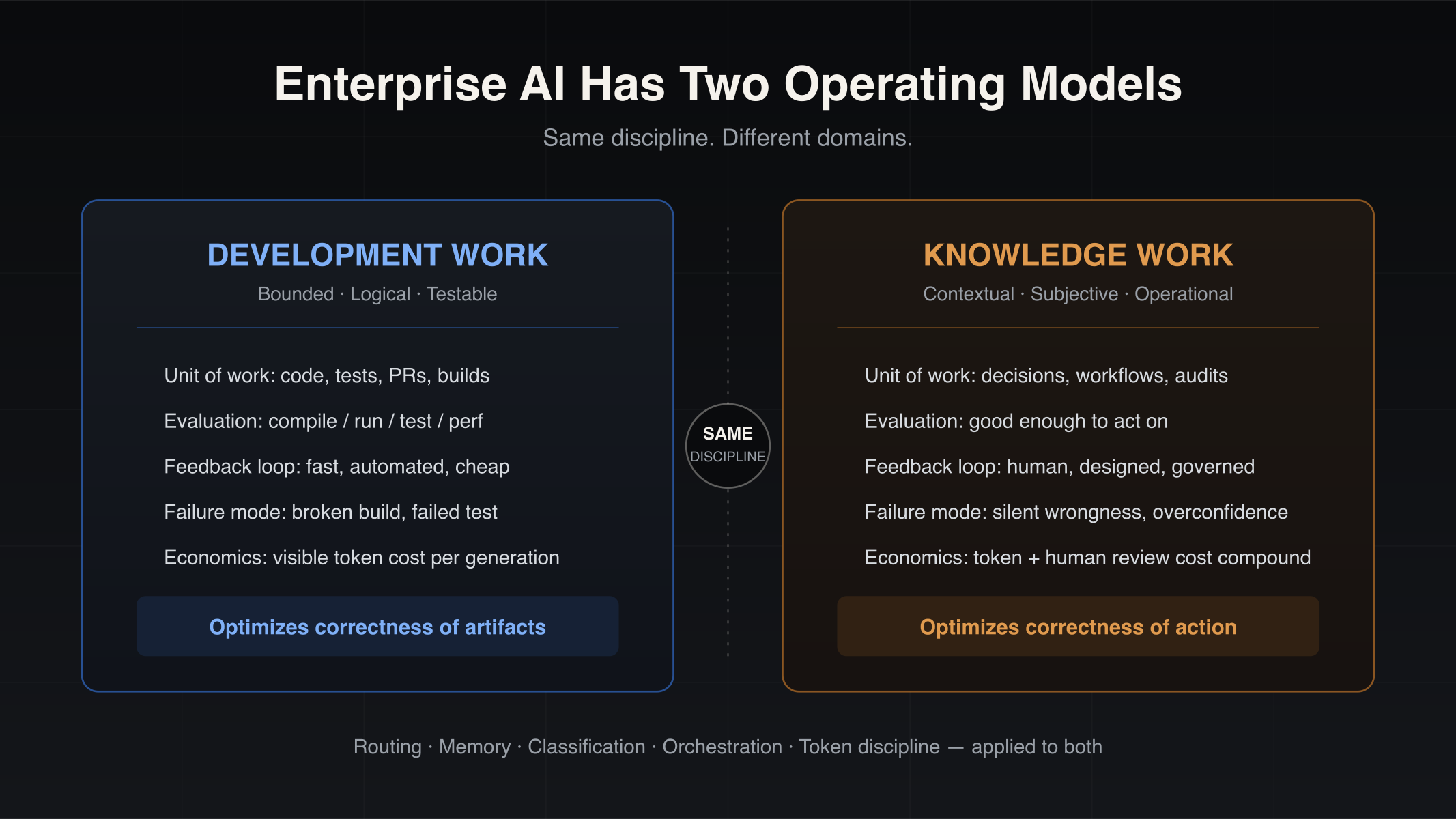
Enterprise AI Has Two Operating Models: Development Work and Knowledge Work
Enterprise AI is splitting into two operating models — development work and knowledge work. Why coding-copilot playbooks stall on operational workflows, and which engineering disciplines transfer.
-
ai
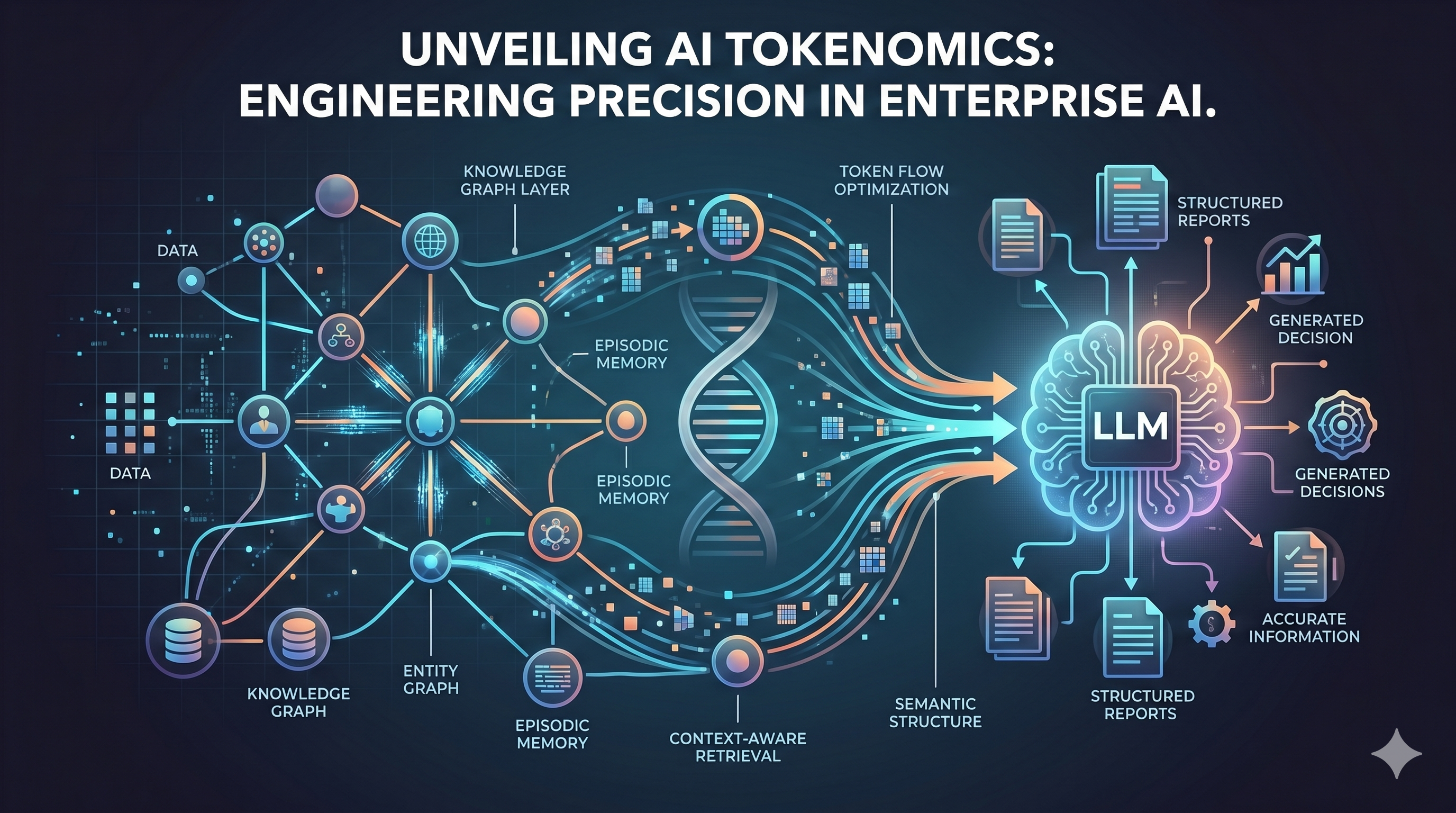
Tokenomics Is the New AI Efficiency Frontier — and Here's How We're Winning It
AI tokenomics is the discipline of managing token consumption at enterprise scale. Learn how semantic infrastructure, context-aware retrieval, and agent budgeting cut AI costs without sacrificing quality.
-

ai
AI copilots make teams faster — and harder to manage
AI copilots increase output, but they also create a clarity tax that delivery leaders must solve to turn speed into accurate delivery.